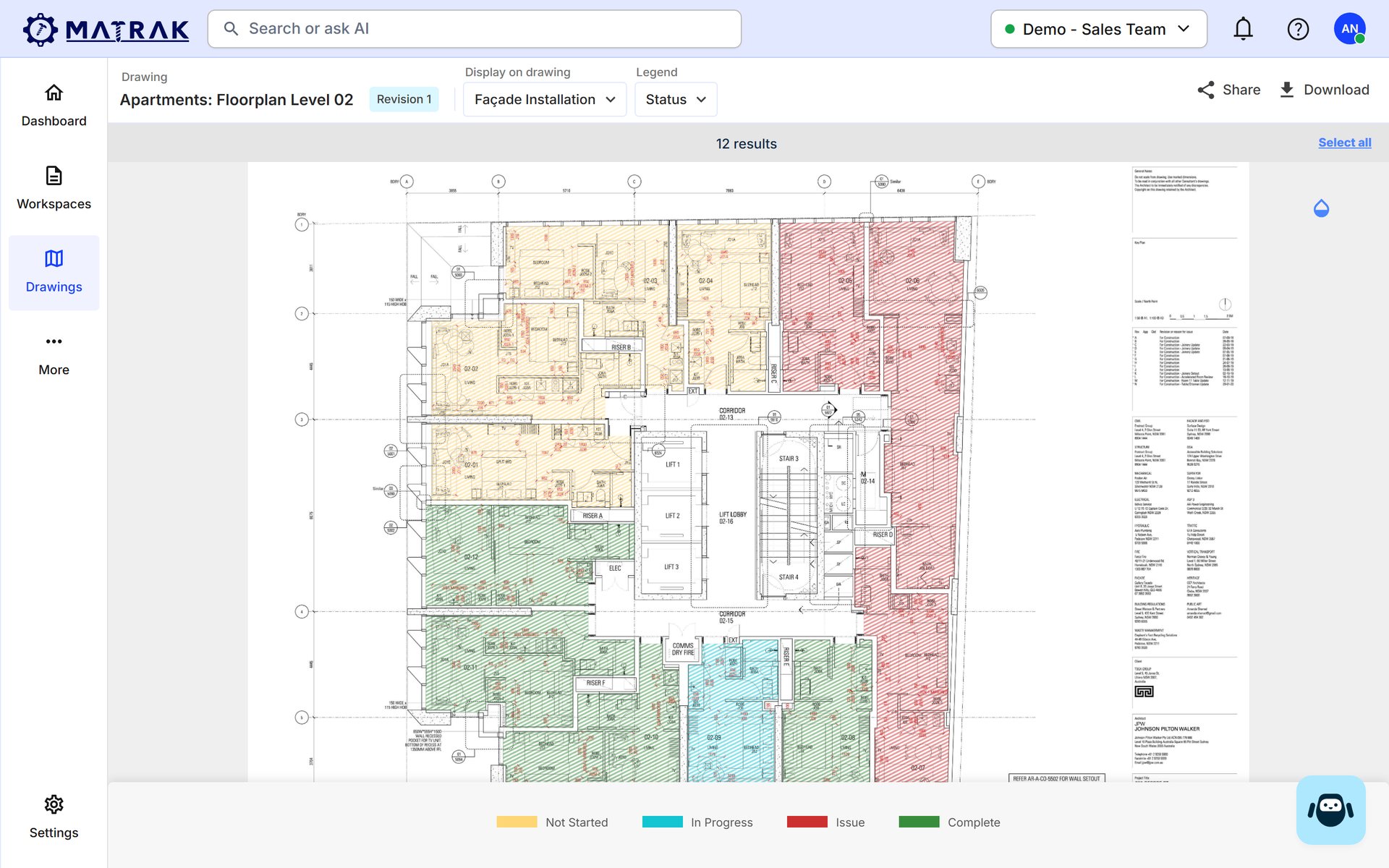
Work completed, where materials go and which trade is next, shown on the drawing instead of described in an email.
PDFs + markupsMatrak
closeMarked-up PDFs emailed aroundcheckOne live drawing everyone works off
close“Which revision is current?”checkAlways the latest, synced automatically
closePhotos lost in a phone gallerycheckPhotos and documents on the item, on the plan
Level 07 · east elevationOn site
radio_button_uncheckedEL07-01 marked installed, with a photoInstaller · on site
radio_button_uncheckedIt colours in on the drawingAutomatic
radio_button_uncheckedSees Level 07 progress, no site walkProject manager
radio_button_uncheckedSees work completed, no update meetingClient
radio_button_uncheckedKnows the area is readyNext trade
task_altEveryone told on the drawing, with hours saved.
Who it's for
A good build needs the right tools.
Made for site coordinators, installers and project managers, and everyone who needs to see where the job is.
apartmentBuildersSee the whole job visually, to schedule trades and manage the programme.
storefrontSuppliersSee what's made it to site and what needs calling up next.
constructionInstallersSee what needs doing, update quality checks and share progress.
event_availableProject managersQuick, accurate oversight from the latest drawings and revisions.
Anytime, anywhere
The same drawings, even offline.
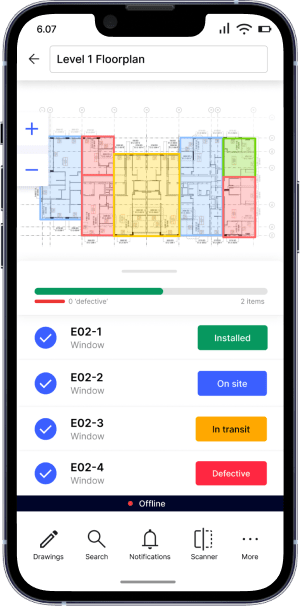
The same live drawings on the web and the phone, even with no signal.
wifi_offOffline modeView and edit the latest drawings with no network. Changes sync as soon as you have reception.The Level 1 floor plan on the phone, windows by status.
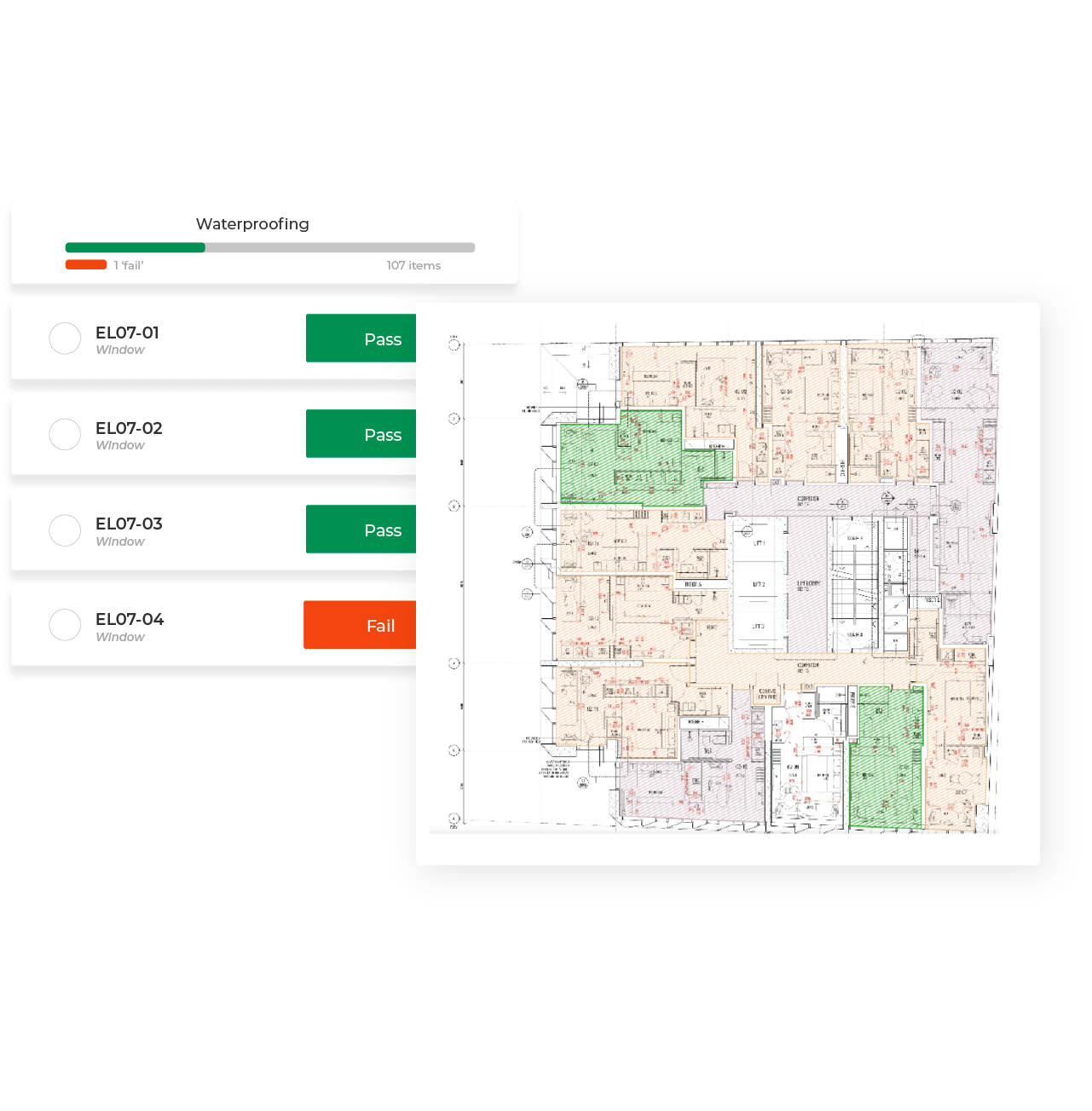
fact_checkChecks beside the planPass or fail each item against the drawing, and see the area light up as it's done.Waterproofing checks per window, beside the plan.
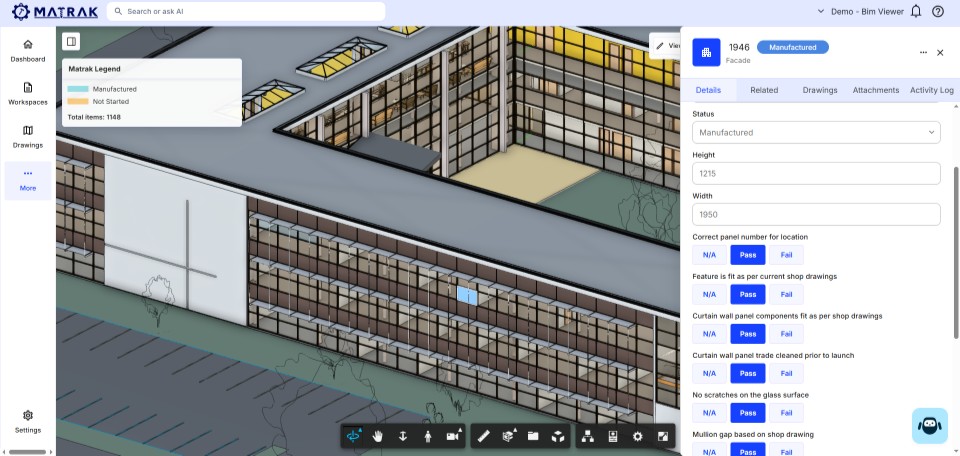
view_in_arBIM viewerStatuses and properties on the 3D model too, with the same legend as the drawings.The BIM viewer: status on the model, checks on the panel.
receipt_longBill of materialsGenerate a bill of materials from the drawings you upload.
historyEvery revision, managedAlways the latest drawings, with revisions synced automatically for everyone.
forumComments on the itemReferences and comments live on the item, so issues get fixed on the spot.
Your Matrak
Add Installation and what pairs with it.
Interactive drawings come with Installation. They come alive with the modules that colour them in.
constructionInstallersInstallation
Install progress logged on the drawing, with photos.
checkLive status on every drawing and item
checkInstall photos pinned to the plan
checkThe latest revision for everyone
checkWorks offline on site
Photoson every installProof of work that ends the blame game.
Pairs well with
event_availableScheduleEvery update on the drawing rolls into progress.
verifiedQualitySign-offs sit on the item on the plan, photos and all.
straightenAI TakeoffEvery item marked up on the drawings from day one.
info Add any. Build your Matrak to see the plan that fits.
In their words
Run from the drawings, in their words.
In over 10 years, Langston was one of the best projects we've ever run, and it's down to the use of Matrak. It was the savior on this project, especially when we couldn't travel due to the pandemic. I would never run a project without Matrak for tracking facade.
JHJohn HennessyConstruction Manager, Hutchinson Builders + Lipman28 projects to date
FAQ
Straight answers.
Anything not here? Ask Digi and someone from the team will reply by email.
Every item and area on the plan carries its live status, photos, documents and comments, and you update them straight from the drawing instead of a spreadsheet.
Yes. Everyone works off the latest drawings and revisions in one central place, and revisions sync automatically.
Yes. With offline mode you can view and edit the most recent documents with no connection. Changes sync as soon as your device has reception.
Yes. Upload your drawings, make them interactive and generate a bill of materials from them.
Site coordinators, installers and project managers day to day, plus builders and suppliers who need to see what's made it to site and what's next.
Yes. Start free and track up to 1,000 active items on a real project, no card needed. You can also run an AI takeoff on your drawings from A$89 a trade, or book a demo and we'll walk you through Matrak on a job like yours.
The Free plan tracks up to 1,000 active items with no card. Paid plans are monthly or annual and sized to your items and collaborators (see Pricing), and AI Takeoff is from A$89 a trade with no subscription. Build your Matrak to see which plan fits.
format_color_fillMatrak · InstallationThu 2:20pmLevel 07 east elevation 100%Shared with the client. No update meeting.
Put the job on the drawing.
Start free on up to 1,000 items, or build your Matrak and we'll recommend the plan that fits. Prefer a walkthrough? Book a demo.
 Horizon TowerA-301 East elevation · Rev CLive